|
Oct 12th, 2009 at 2:21pm
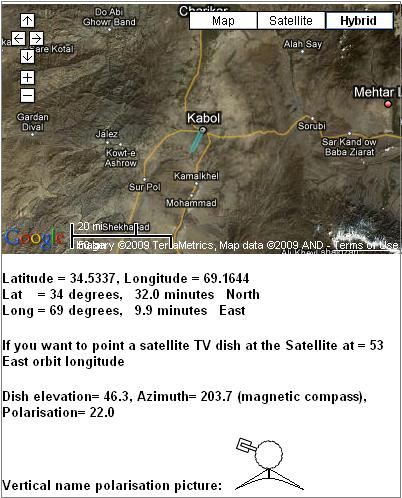
If you use this web page Satellite dish pointing Iraq and drag the map across to the left you will bring Afghanistan into view and be able to find your location.
In addition to selecting the wanted satellite orbit position, this page allows you to input (click on radio button) the nominal named downlink polarisation and then shows an approximate picture of the feed/LNB assembly as seen with you standing behind the dish and facing forwards towards the satellite in the sky. Note the orientation of the LNB.
The calculated exact polarisation adjustment angle may be applied by using an inclinometer placed sideways across the LNB or BUC.
Your service provider should have told you the name of your nominal downlink polarisation. This gives you the starting position to set, prior to applying the adjustment.
Vertical name means the LNB will start sideways. For Horizontal name the LNB will start straight upwards (or downwards)
Please say who is your service provider and what they have told you so far, if anything....
LNB NJR2754H has local oscillator 11.3 GHz and is for 12.25 -12.75 GHz
LNB NJR2784H has local oscillator 10 GHz and is for 10.95 - 11.7 GHz
Ref: https://mc.njr.co.jp/eng/products/vsat/ku-lnb/dro900.html
Best regards, Eric.
|